How to create a group to use in Microsoft Intune

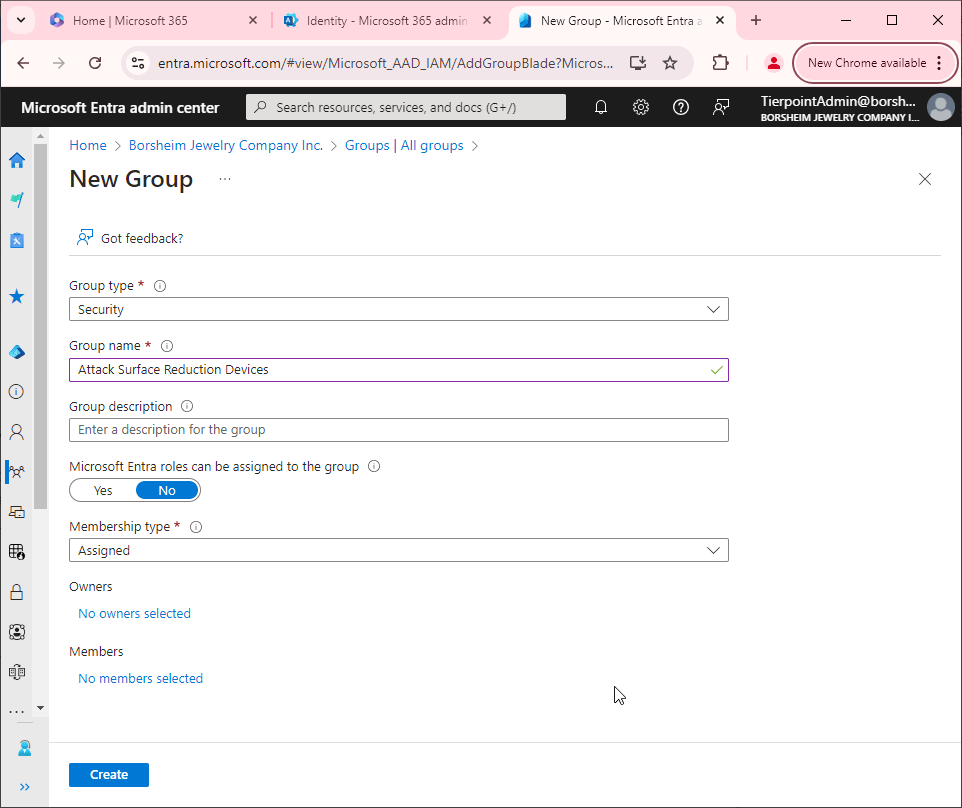
Creating a group that can be used in Microsoft Intune is pretty straight forward. In short, you need a security group. I typically create the groups in the Microsoft Entra admin center but you can probably create the group a dozen different ways.
- Open the Microsoft Entra admin center (https://entra.microsoft.com/)
- Go to Groups > All groups > new group.
- Name your group something descriptive.
- Optionally give is a description.
- Click No members selected. Add your members and click Select.
- Click Create