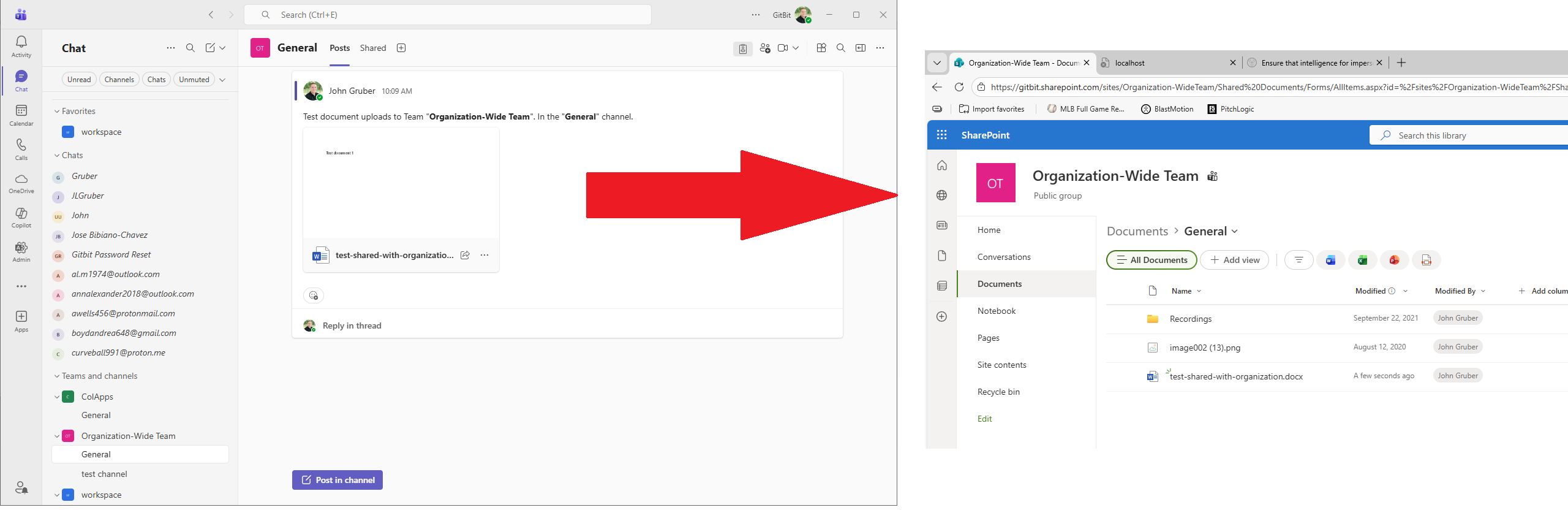
Copilot vs ChatGPT: Why I went all in on Microsoft Copilot

When I first started using Copilot, I wasn't in love. ChatGPT was better. I didn't like Copilot's "I'm your friend" type of responses. I found ChatGPT and Copilot to be on par with their answers, etc. Even one extra login prompt from Copilot and I was back to using ChatGPT. But I still wrote an entire course on using Copilot (although it works for ChatGPT as well). That was before Agents and the Microsoft 365 integration came around.
My Experience with ChatGPT
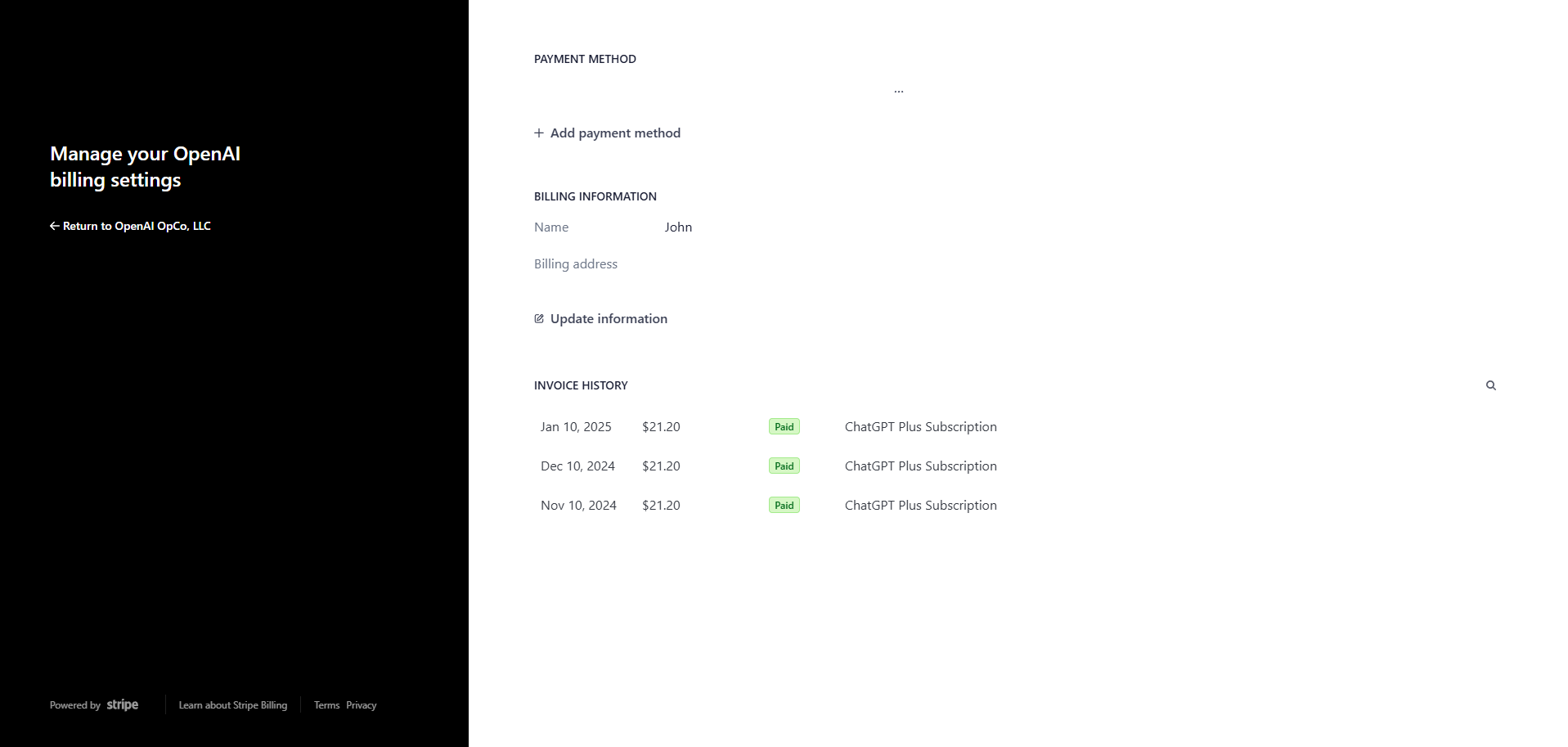
I've used ChatGPT heavily since its launch. As I mentioned above, I gave Copilot a shot when it was first launched, but I still preferred ChatGPT. I used to pay for the ChatGPT Plus option, but I didn't find it provided enough value over the free model, so I dropped it after 3 months.
Also, I still pay for the API version of ChatGPT. I was playing around with a Twitter bot that would automatically reply to comments, etc., but I'll be moving that to Copilot soon.
As Ted Theodoropoulos pointed out, I still believe ChatGPT is better for simple questions. As a matter of fact, I've been using Gemini more than ChatGPT for simple questions that I used to go to Google for. It's hard to understand why because AIs are all black boxes, but Copilot doesn't seem to do as good a job at answering simple questions.
An Honest Look At The Pricing Model
First, I'm not looking at price in this section (see below). ChatGPT used to have a more straightforward pricing model. It used to be Free, Plus, API. Looks like that's changed recently. They now offer more options than Copilot. That's good if you're going to take the time to learn about all the models and figure out which model is best for you. Honestly, I prefer a simpler licensing model.
Licensing has always been overly complex in the Microsoft world. They are getting better at it nowadays, but it's still a bit of a mess. Looks like ChatGPT is kind of following suit with Microsoft. They now offer 4 different packages, and that doesn't include enterprise or the API.
I'm not a fan of credits, either. I like fixed costs, which they both offer for internal users or yourself. As far as API access goes, they both use an overly complicated credit system where you may be charged 1 credit or 20 based on the length of the question and the length of the response.
Pricing: Where Copilot Falls Short
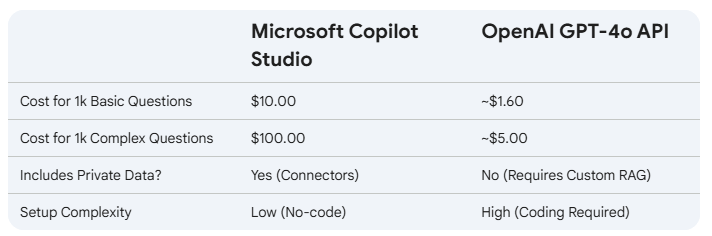
This is really where Copilot is falling short. It looks like Copilot is offering a comparable offering to ChatGPT, but with a higher price tag. The only exception is Microsoft 365 Copilot Chat, which is integrated into Microsoft 365 licenses if you're already paying for it. The Microsoft 365 Copilot Chat gives access to agents to all of your employees. Here's a quick summary of the prices for the public APIs for ChatGPT vs Microsoft Copilot.
It does look like Microsoft is planning to offer more within Microsoft 365 Copilot Chat soon, so that's a good thing. But Copilot does what ChatGPT can't.
The Microsoft 365 Advantage: AI Where You Actually Work
This is where Microsoft has the strongest advantage over ChatGPT. As Red River points out well in their article, ChatGPT is basically an island. I'd need to constantly copy and paste the content that ChatGPT will need to help me work. Copilot can simply access the data in Microsoft 365 that you have access to. Want a chatbot that supports your sales team? No problem, you can whip one up in no time flat with Copilot. How would you whip something like that up with ChatGPT? I guess you could create a GPT and grant it access to information you make publicly available, but not all your corporate information is publicly available.
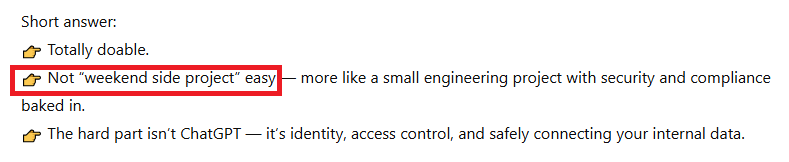
I actually asked ChatGPT this: How hard would it be to make an agent with ChatGPT that supports my sales staff? The agent would need to be private to only those I grant it access to, and it would need to access secure company information.
Its response: "doable but not possible over a weekend". In Copilot, that's 100% possible in a weekend.
Data Access And Security
As ChatGPT admitted above, it's an island. Accessing your secure internal information with ChatGPT isn't easy. It's super easy with Copilot. Out of the box, Copilot only has access to the information that the current employee has access to. So you could make one HR agent. That agent can access salary information for your C-level executives (who have been granted access to that information) and not grant that access to the rest of your employees.
While Microsoft is typically lacking in security by default, they've finally figured it out. They've made Copilot secure out of the box. No need to go through 1,000 settings and hope to God your security team didn't miss something. It's secure by design.
How I've Been Using The Integration In Word
Copilot is integrated into the Office suite. I literally wrote a webpage on Copilot licenses, copied the text into Word, and asked Copilot to use the current content and rewrite it for an executive summary I can give my boss. It rewrote all the information in a formal, easy-to-follow layout. I haven't used PowerPoint or the other integrations yet, but looking at Word, it's amazing.
As Ramsac pointed out, this can be a double-edged sword. If you ask Copilot to write an email in Outlook, it will fill out the niceties, etc. Asking Copilot to write that same email in the browser might produce different results. ChatGPT, on the other hand, will fill out the niceties in the browser.
In ChatGPT's defense, you can basically do the same thing. Copy the content into ChatGPT and ask it to rewrite it as an executive summary, then copy the response into Word and do your final editing. This is how I used to do it, but that becomes a bit more of a nightmare when you start wanting slight changes or additional information about the response. ChatGPT looks something more like this:
Browser → Chat → Copy → Word → Paste → Format → Fix
Copilot can edit the document in place.
Lastly, Copilot has access to the rest of the data I have access to. So you can ask Copilot to write in your corporate style. You can ask Copilot: "Rewrite this HR document using our standard HR language and fill in the missing pieces from the HR handbook." You can't really do that with ChatGPT.
Copilot Wins at Business and Integration
When I want an answer to a question, ChatGPT is great. It gives clear answers that are mostly accurate and up-to-date. When you need an answer to a question regarding something only your business would know, you need Copilot. Let's take an example:
If I want to know how to enable MFA in Microsoft 365, ChatGPT will have an answer.
If I want to know where I can submit PTO time or what the process is for getting a replacement laptop, I need Copilot.
Agents vs GPTs
I haven't created a custom GPT in a while, so there may have been some updates, but the short of it is, it's not easy to integrate your business data into a GPT. Copilot, it's ready out of the box. Security? No worries with Copilot because every user will only have access to the data they already have access to. Two of the hardest challenges are already solved with Copilot.
Why I Chose Microsoft Over OpenAI
All of the things I said above are meaningless in the long run. When you're looking to make a career out of something, you need to think long-term. A slightly better price is better in the short term, but if you need to rebuild everything you've done in 10 years, who cares? Access to company data out of the box, with less coding, is a short-term answer. But we need to think long-term. Over the grand scheme of things, there are only 2 options.
In 10 years, there will only be 2 real players: Google and Microsoft.
Think about it like this. OpenAI is burning through cash. They can't stop the bleeding. Eventually, that will catch up with them. But at the end of the day, most people think of OpenAI as a consumer model. Most business leaders don't think "OpenAI can solve this problem for us."
Google is dominating and will remain dominant, but I don't know how they get themselves out of the mess they are in. Every AI answer it provides is one less search on Google. Every answer AI provides is one less view of a webpage that's using AdSense. Google is currently bleeding thanks to its own Gemini app, but I don't think that will last forever. Google has the data and the infrastructure to provide and continue to provide AI to the world.
Microsoft has the best positioning to lead the AI revolution. They're already unmatched with cloud scale and deep enterprise trust. They already have a strong user base and partnerships with corporations. They already have the data your business relies on. Azure puts Microsoft in a great place to help organizations deploy AI faster and with better scalability than most organizations. The company's long-standing relationship with businesses and governments creates the perfect opportunity to be the go-to partner for organizations that want to rely on AI. Strategic partnerships with top model developers accelerate innovation without sacrificing stability or security. Taken together, this ecosystem gives Microsoft a durable, compounding advantage as AI becomes the backbone of modern work.

![Device management could not be enabled Windows 11 [SOLVED]](/assets/imgs/docs/something-went-wrong-1200-si1gvpv8.png)
![I built an almost fully automated blog with Copilot [For Free]](/assets/imgs/docs/fast-takes-1200-q6vmzbxd.png)
![AI Agents vs Chatbots vs LLM Apps [Simple Breakdown]](/assets/imgs/docs/chatbot-llm-app-ai-agent-1200-ajzwu1rr.png)