Sent Items From Shared Mailbox In Wrong Sent Items

In Microsoft 365, shared mailbox sent items often go to the sender’s personal mailbox instead of the shared mailbox. Here’s how to fix it using Exchange Online PowerShell.
In short, you'll see shared mailbox sent items going to personal mailbox.
Why Shared Mailbox Sent Items Go to Personal Mailbox
Microsoft assumes you want to retain ownership of the sent item, so it places it in your sent items instead of the shared mailbox.
How to Save Sent Items to the Shared Mailbox in Exchange Online
This can be a bit of a pain when you're attempting to see the sent item of a shared mailbox.
The fix is pretty easy if you've connected to Exchange Online via PowerShell before.
- Set the PSGallery as trusted. This avoids a prompt. You can skip this step if you prefer: Set-PSRepository PSGallery -InstallationPolicy Trusted
- Install the ExchangeOnlineManagement: Install-Module ExchangeOnlineManagement
- Import the ExchangeOnlineManagement: Import-Module ExchangeOnlineManagement
- Connect ot Exchange Online: Connect-ExchangeOnline
- Set the mailbox to deliver the sent items to its Sent Items folder: set-mailbox <SharedMailboxName> -MessageCopyForSentAsEnabled $True -MessageCopyForSendOnBehalfEnabled $true
PowerShell Command to Fix Shared Mailbox Sent Items
Open PowerShell and run the following. After running connect-exchangeonline, you'll be prompted for credentials. You'll want to use Exchange admin credentials or Global Admin credentials to log in. Lastly, replace <SharedMailboxName> with the primary email address of the shared mailbox.:
Set-PSRepository PSGallery -InstallationPolicy Trusted
Install-Module ExchangeOnlineManagement
Import-Module ExchangeOnlineManagement
Connect-ExchangeOnline
set-mailbox <SharedMailboxName> -MessageCopyForSentAsEnabled $True -MessageCopyForSendOnBehalfEnabled $true
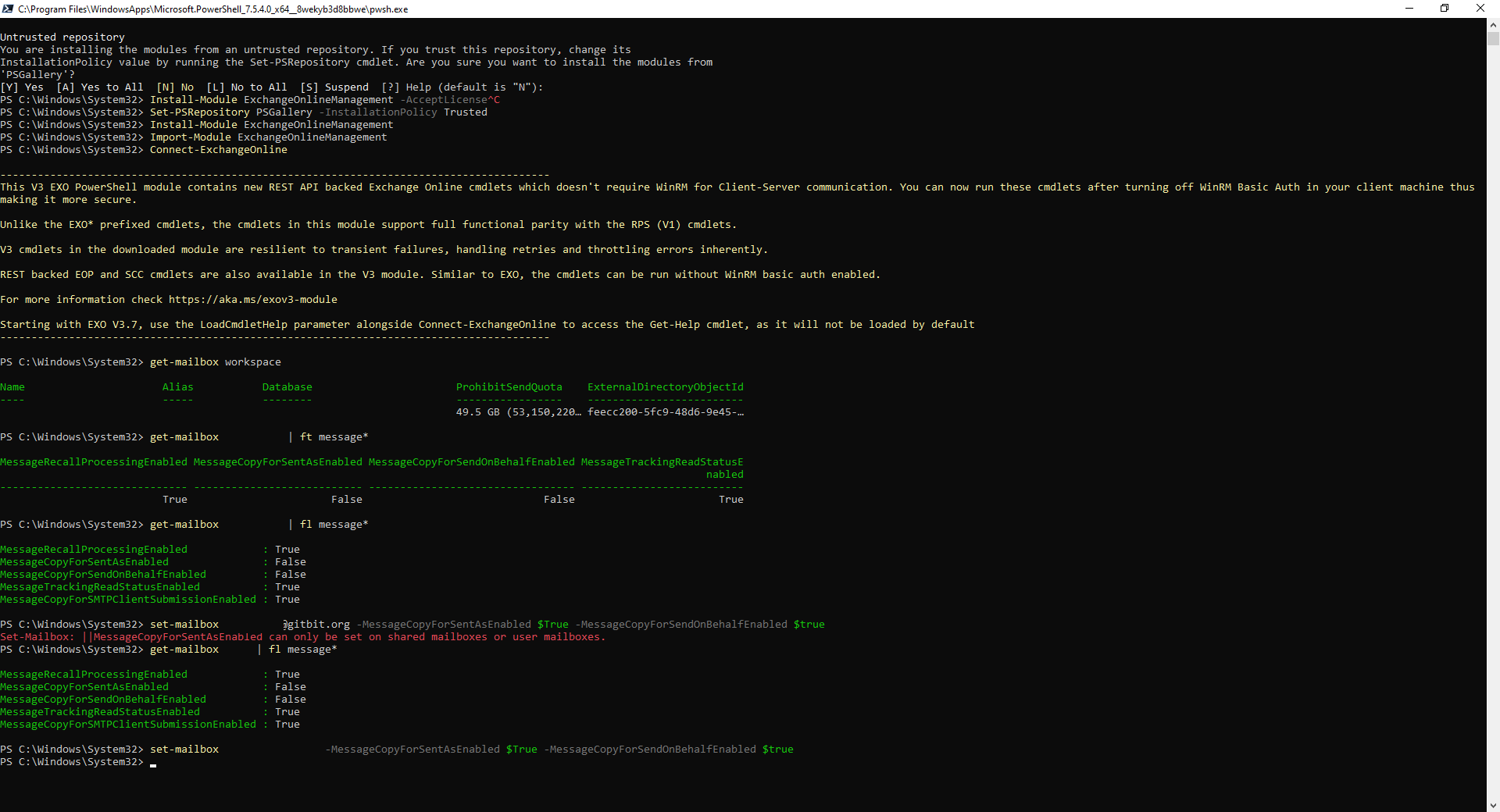
The commands above will put any messages sent from the <SharedMailboxName> by itself, someone with send as, or someone with send on behalf of permissions into the <SharedMailboxName> sent items.
Limitations of the MessageCopyForSentAsEnabled Setting
Unfortunately, you can't set the policy, so only one or some users will have the emails delivered to the sent items.
It's an all-or-nothing policy based on the shared mailbox.
You can run the policy on any shared mailbox or user mailbox.
You can't run the policy on resource mailboxes.