How To Purchase Gitbit Licenses

Purchasing is made simple and secure because we rely on Microsoft 365 to handle all of our transactions. That means we don't ever know, and won't ever ask, for your credit card information.
That does mean Microsoft has put some limits on who can purchase licenses. Hop over to the Microsoft guide on the required permissions to purchase Microsoft Marketplace apps.
How To Purchase Gitbit
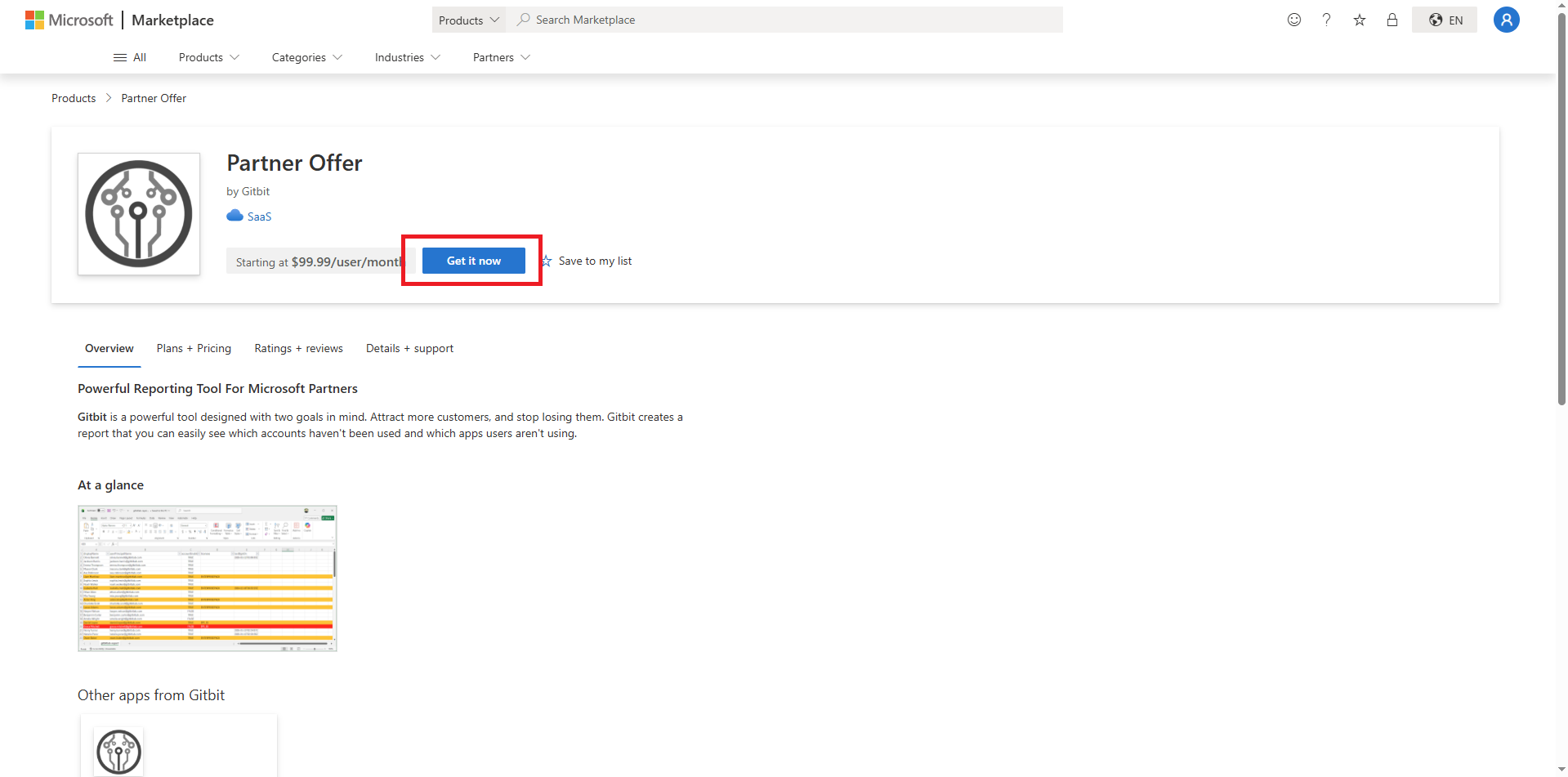
Step 1: Go to the Microsoft Marketplace > Gitbit Partner app.
Step 2: Click Get It Now.
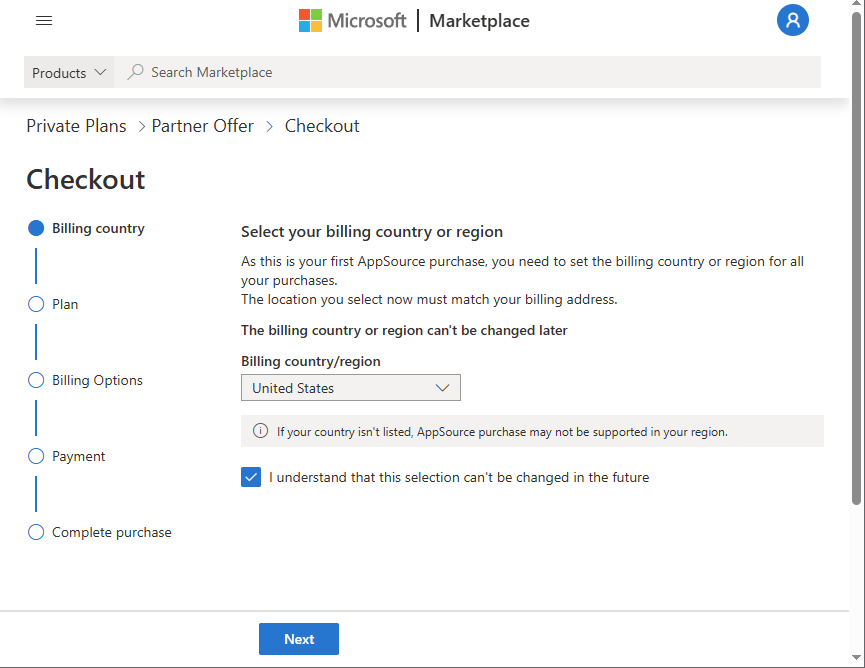
Step 3: If prompted, set your billing country.
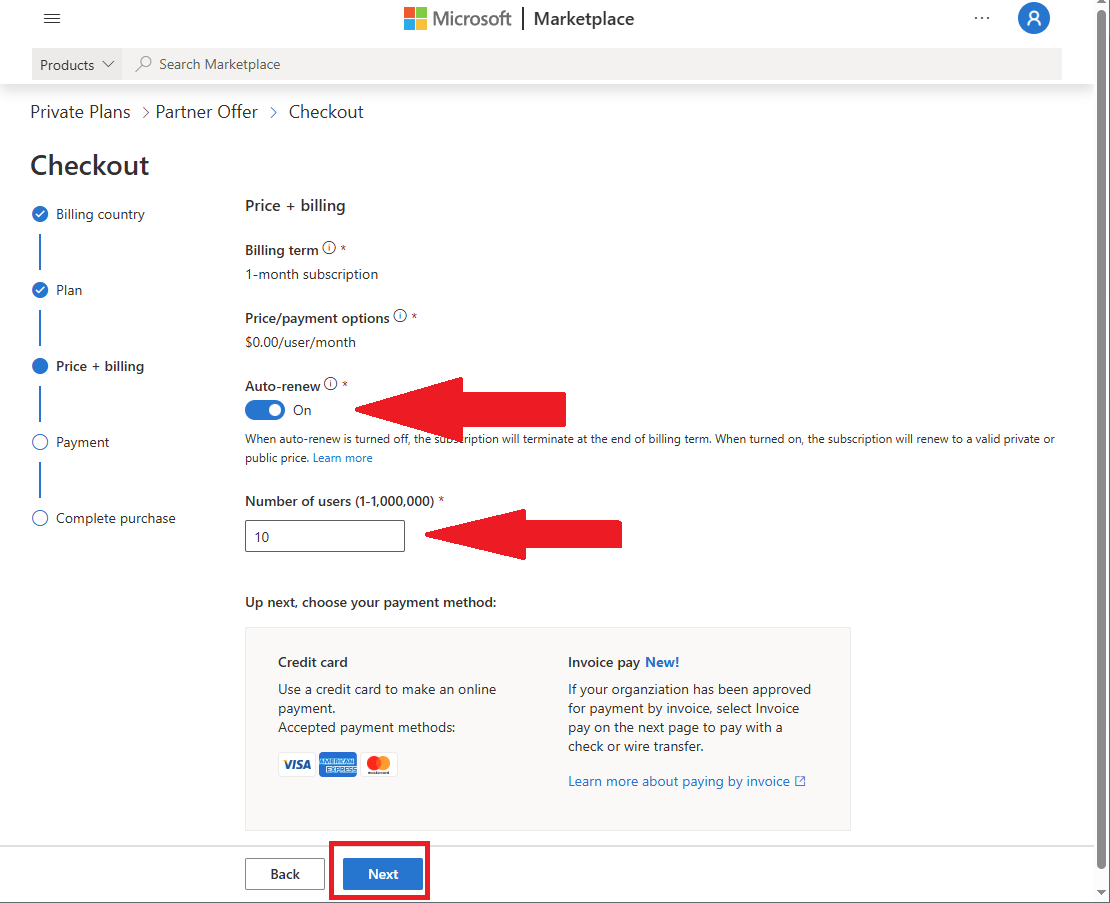
Step 4: On the billing + purchase page it's recommended to enable auto-renew and set the number of licenses you need.
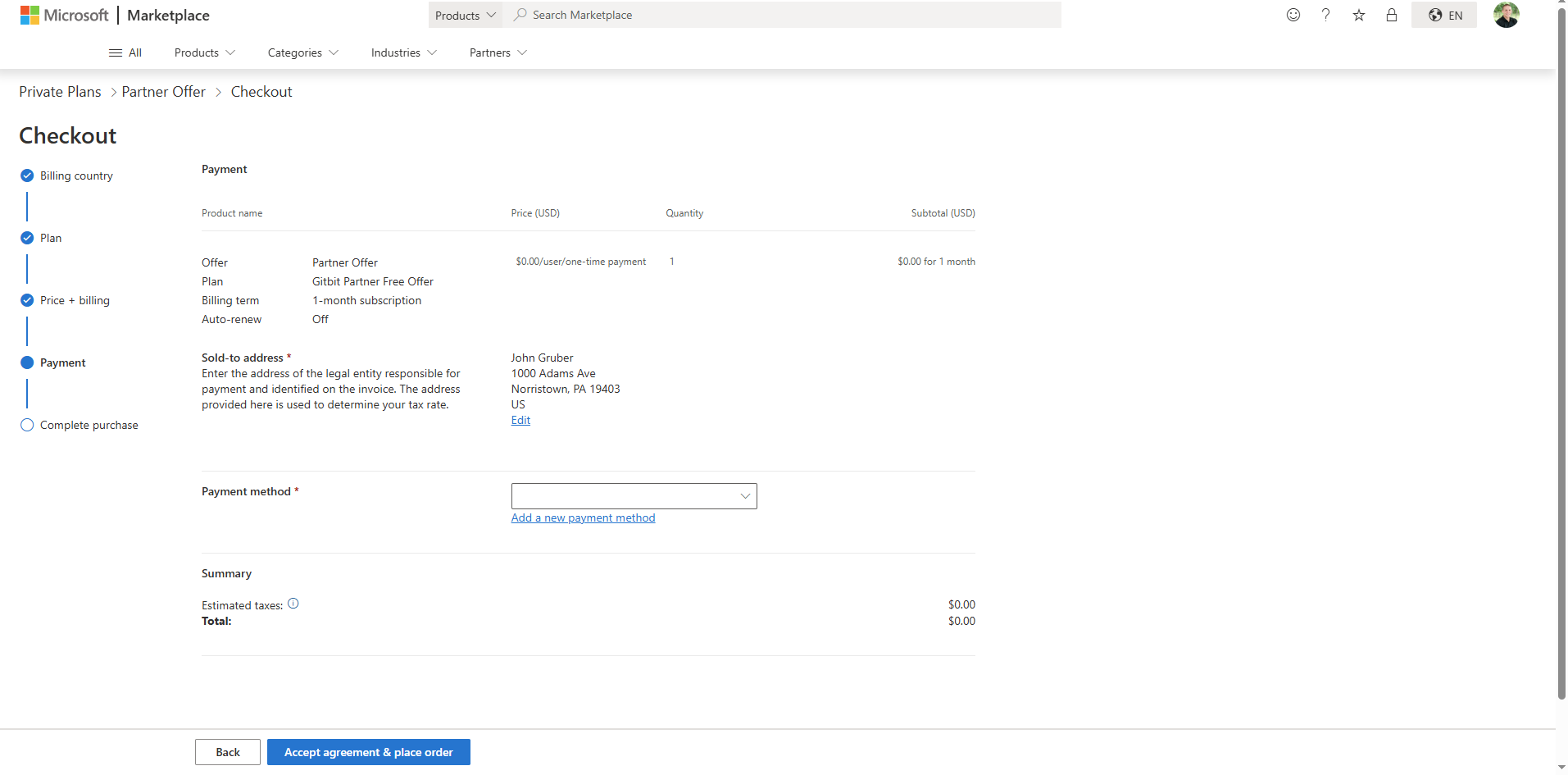
Step 5: If required, update your payment method.
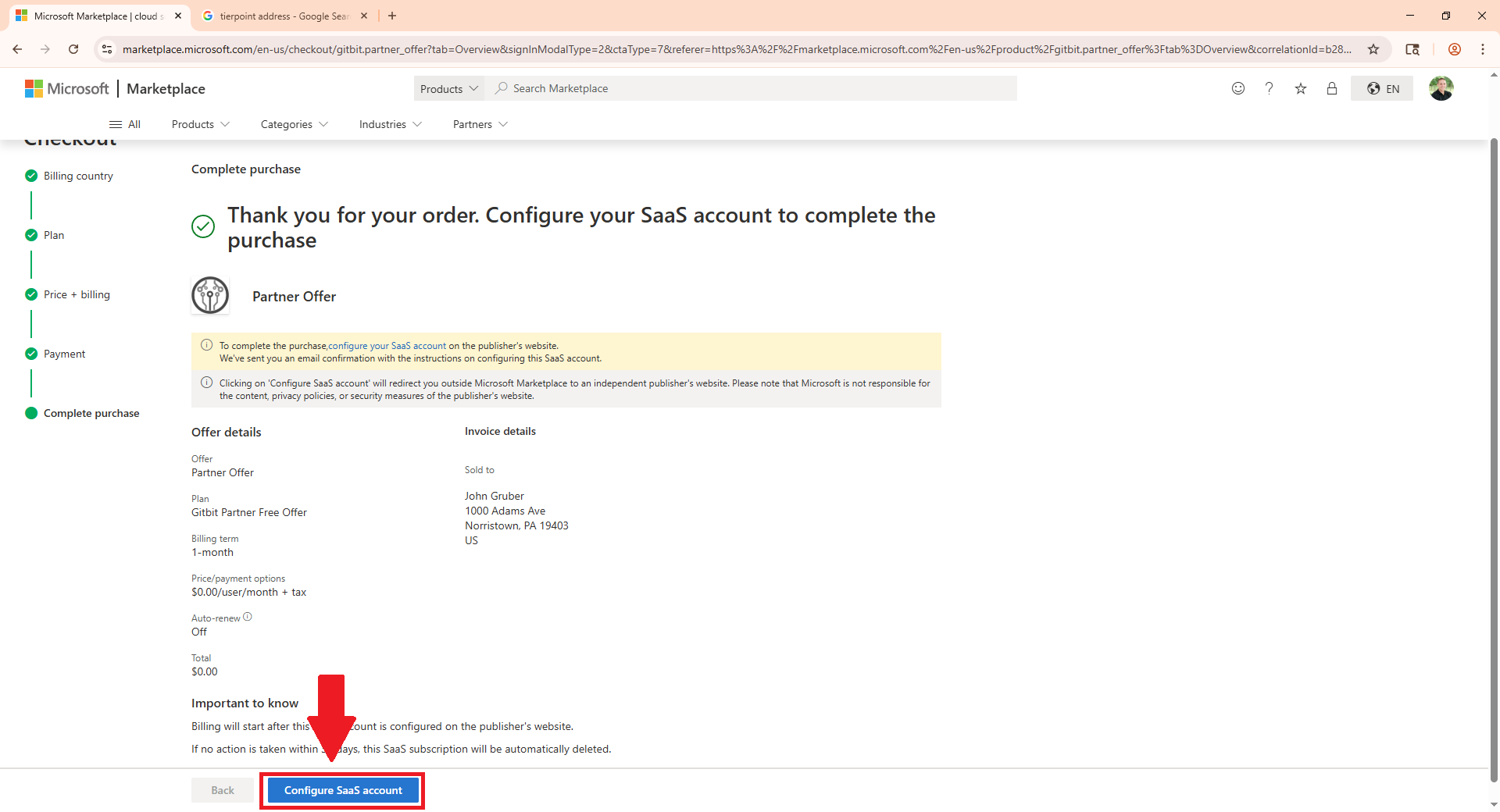
Step 6: Click Configure SaaS Account.
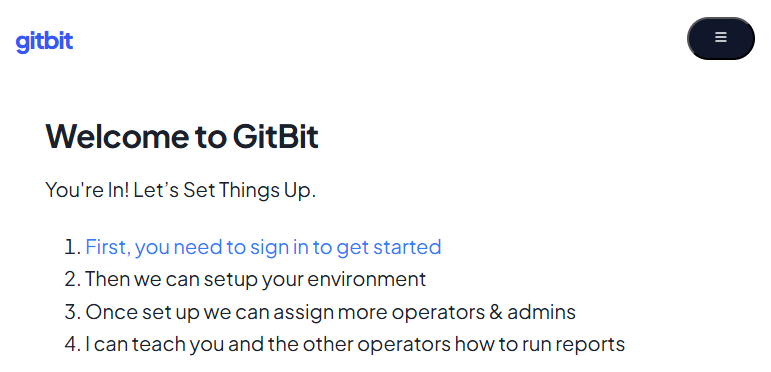
Step 7: Click "First, you need to sign in to continue"
That's it. Now you can run your first audit.
How To Add More Licenses
Once you've made your first purchase, you can easily add additional licenses by going back through the Microsoft Marketplace, or you can edit your original purchase.
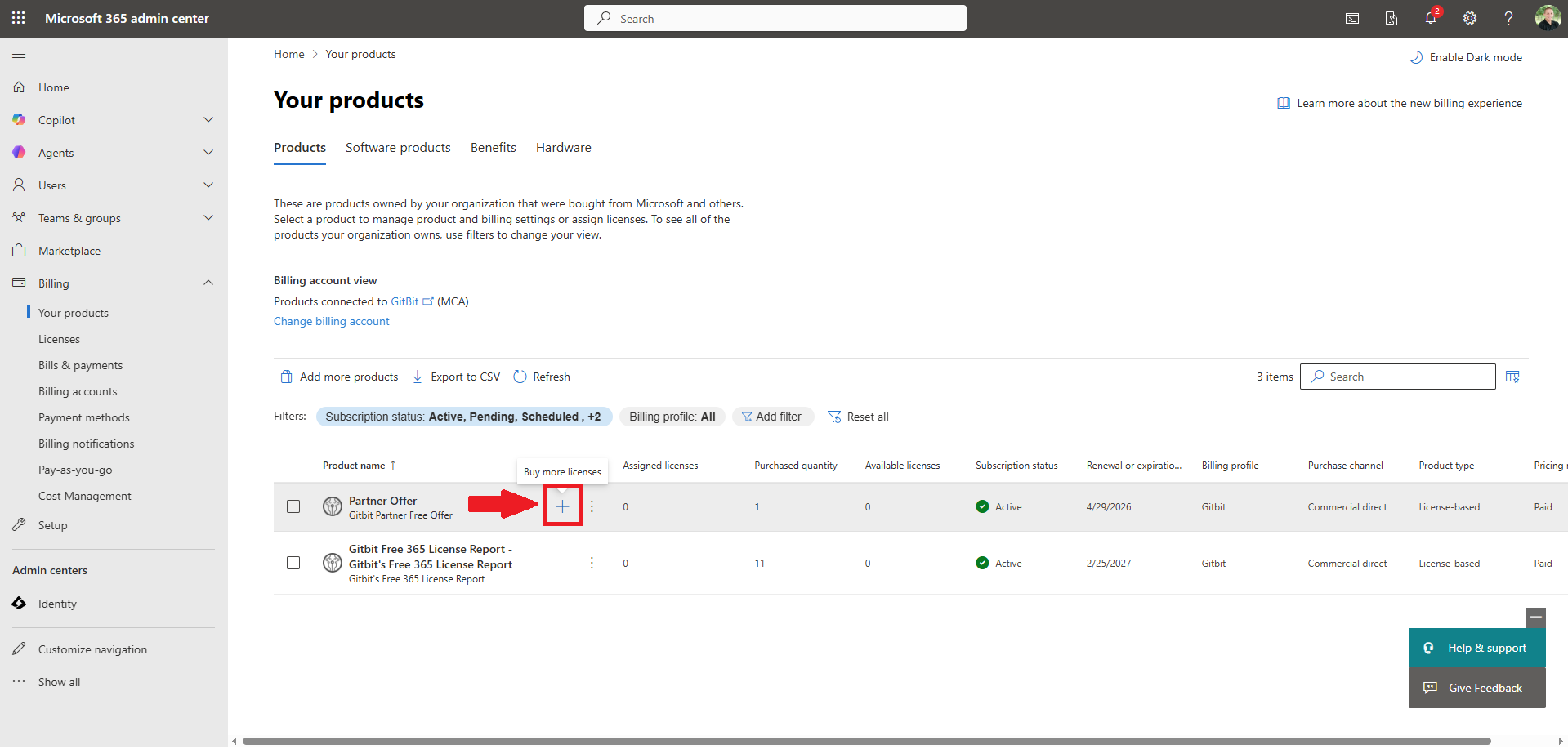
- Microsoft 365 admin center > Billing > Your Products.
- Hover over the Partner Offer and click the + (plus sign)
- Enter the new total licenses you want in the New total license quantity textbox.
- Click Save.
To learn how to decrease your license count or cancel your Gitbit subscription.
More Guides
- The Offensive Playbook
- The Defensive Playbook
- Gitbit's Super Simple Pricing Model
- How To Cancel Gitbit Licenses
- Convincing Prospects To Let You Run A Report
- How To Log In To Gitbit
- How To Run A Gitbit Audit Report
- How To Gain Insights Using The Gitbit Audit Report
- How To Handle Objections
- Managing Your Team In Gitbit
- How To Contact Gitbit Support