Clipchamp: Downgrade Impact Overview

If you are considering an M365 license downgrade to cut costs, you might be wondering if Clipchamp will be affected. This guide answers your critical compliance, tracking, and user-impact questions before you make the switch.
Keep in mind that while Microsoft 365 Business Standard, Microsoft 365 Business Premium, and Microsoft 365 E3 come fully equipped with Clipchamp Standard, popular downgrade targets like Microsoft 365 Business Basic, Microsoft 365 F1, and Microsoft 365 F3 do not. Here is what you need to know before pulling the plug.
What Is Clipchamp
Clipchamp is Microsoft's low-cost video editing solution. When I started my YouTube channel, I started with Clipchamp. I quickly outgrew it, though. Clipchamp falls short when measured against alternative open-source platforms, which consistently deliver a more comprehensive set of free editing features.
Personally, I don't recommend using Clipchamp.
Downgrade Impact Summary
There are a few ways to check if a user is using Clipchamp, and none of them are ideal:
- The best way to verify a user is using Clipchamp is to check their OneDrive for a folder "Videos\Clipchamp".
- Reaching out to the user and asking.
- Disable the service in their current license and see if they complain.
- Checking for Clipchamp Premium licensing.
The audit logs and sign-in logs don't always show usage.
The Clipchamp projects and files are not deleted if you move a user to a license that does not include Clipchamp. The files are stored in the user's OneDrive folder, so removing their OneDrive license would remove the Clipchamp projects.
What If A User Is Losing Access?
If you must remove the user's Clipchamp license, the best course of action is to have them export all their current projects as MP4 and then open them in another video editing solution.
What licenses do I need to use Clipchamp?
There are three versions of Clipchamp currently offered by Microsoft: Free, Standard, and Premium.
Clipchamp Free is the free version that anyone can sign up for.
Clipchamp Standard comes with one of the following Microsoft 365 business licenses:
- Microsoft 365 E3, Microsoft 365 E5
- Office 365 E3, Office 365 E5
- Microsoft 365 Business Standard, Office 365 Business Standard,
- Microsoft 365 Business Premium, Office 365 Business Premium
- Microsoft 365 A3, Microsoft 365 A5
Clipchamp Premium is the last option. It includes access to additional stock videos and templates you can use.
IMPORTANT: Clipchamp for Work (Standard/Premium) and Clipchamp for Personal are two entirely separate ecosystems with different login mechanisms (Entra ID vs. personal MSA). If you lose the Standard license, you cannot simply log into a free personal Clipchamp account and open your old work projects. The work projects are stored in the corporate OneDrive/SharePoint tenant, and a personal Clipchamp account cannot access or authenticate against corporate storage.
Clipchamp Standard and Premium come with a brand kit. The brand kit can be shared between users fairly easily, but to have a brand kit that you can update and have everyone automatically receive the updates isn't as easy.
What Features are included in Clipchamp?
Microsoft Clipchamp enables editing and creation of videos. You can save the files on your local computer, OneDrive, or SharePoint. It includes some basic features like trim, join, transitions, filters, text overlay, audio controls, and screen/camera recording. You can see a full feature comparison of the Standard vs Premium on Microsoft's site.
Clipchamp can also create videos using AI and a prompt, but I've found its ability to be lackluster.
Clipchamp does have a browser-based version, as well as a desktop version.
Finally, Clipchamp says you can share the projects, but it doesn't allow others to work on your Clipchamp projects. It only shares access to the files, so they can watch the video you are working on.
How To Check If Users Are Using Clipchamp?
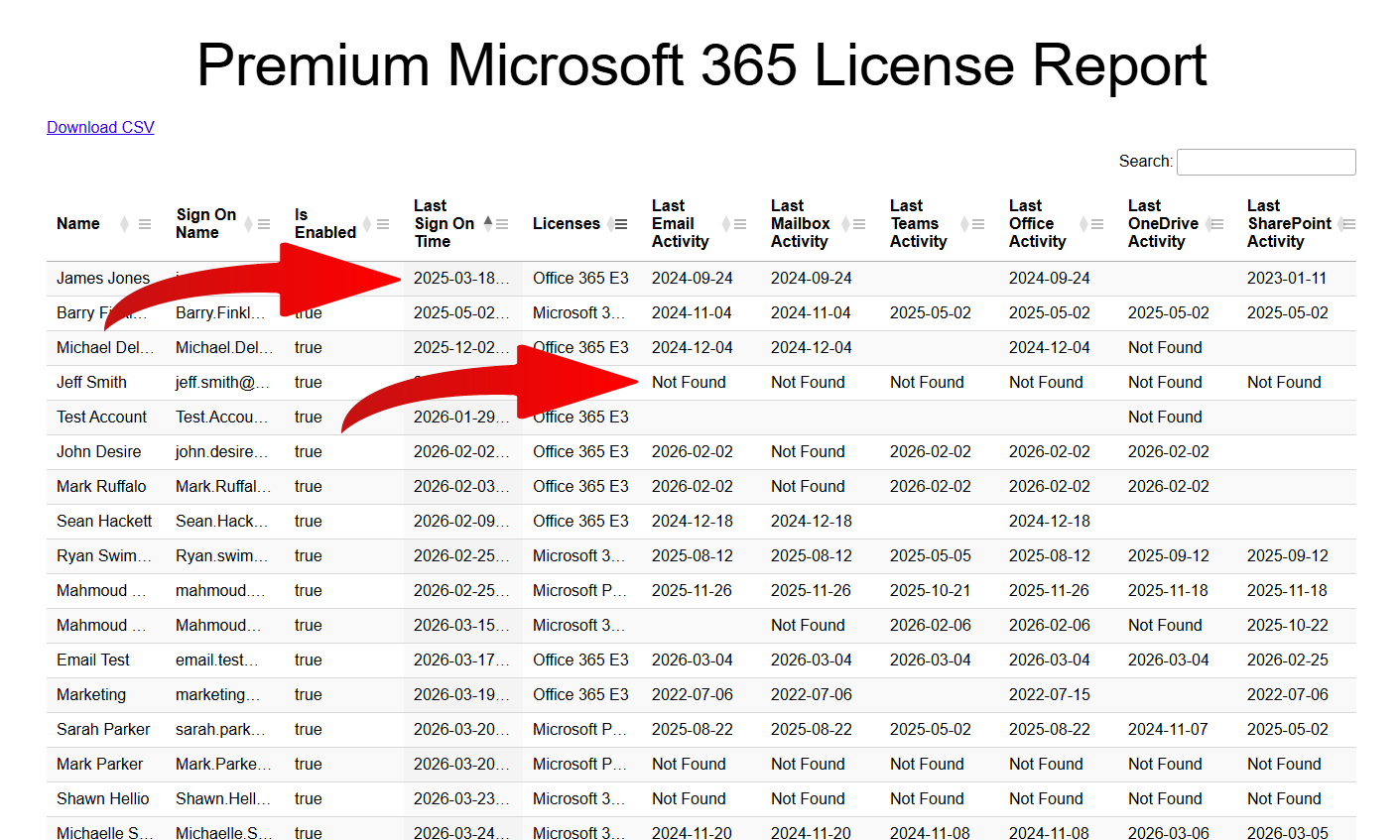
In short, you can't. I've checked the Microsoft 365 reports. I've checked the sign-in logs and the audit logs. The only evidence I can find that a user is using, or at least has used ClipChamp, is by checking their OneDrive folder for "Videos\Clipchamp"
The best way to verify if a user is using Clipchamp is to check if they have a Clipchamp Editor Premium license. If the user has a Premium license, they may want to keep their Clipchamp access.
Without having a Clipchamp Premium license, you'll either need to talk to the user and ask them, or simply shut off their access to Clipchamp and wait for a complaint.
Are There Any Compliance Or Regulatory Reasons I May Need Clipchamp?
None. As a matter of fact, you can't really even manage Clipchamp as a Microsoft 365 global admin. There are no configurations to deploy, no special admin centers or anything.
Clipchamp’s primary integration with Microsoft 365 is its storage model: by default, it automatically saves all video editing projects directly to the user's OneDrive.
Clipchamp Vs Alternatives
There are a ton of feature-packed video editing solutions available, 100% free.
DaVinci Resolve Free is my preferred editor. Although it is significantly more powerful than Clipchamp, that advanced functionality introduces a learning curve, though mastering basic elements like transitions requires very little time.
Shotcut and Openshot are also open-source, 100% free alternatives.
The best thing about all three of these solutions is that they don't have a cloud backup service bundled with their free versions. So you don't have to worry about your corporate data being stored in some other unsupported cloud.
By telling your users to save their project files in OneDrive, you have the same compliance, backup, and security as you do with Clipchamp.
How to enable or manage Clipchamp?
There really isn't any management of Clipchamp. At best, you can enable/disable the service within the Microsoft 365 admin center.
Note: When you remove or disable the Clipchamp service from an account, the user will lose all access to Clipchamp. They will lose web browser-based tools, as well as the desktop version of Clipchamp.
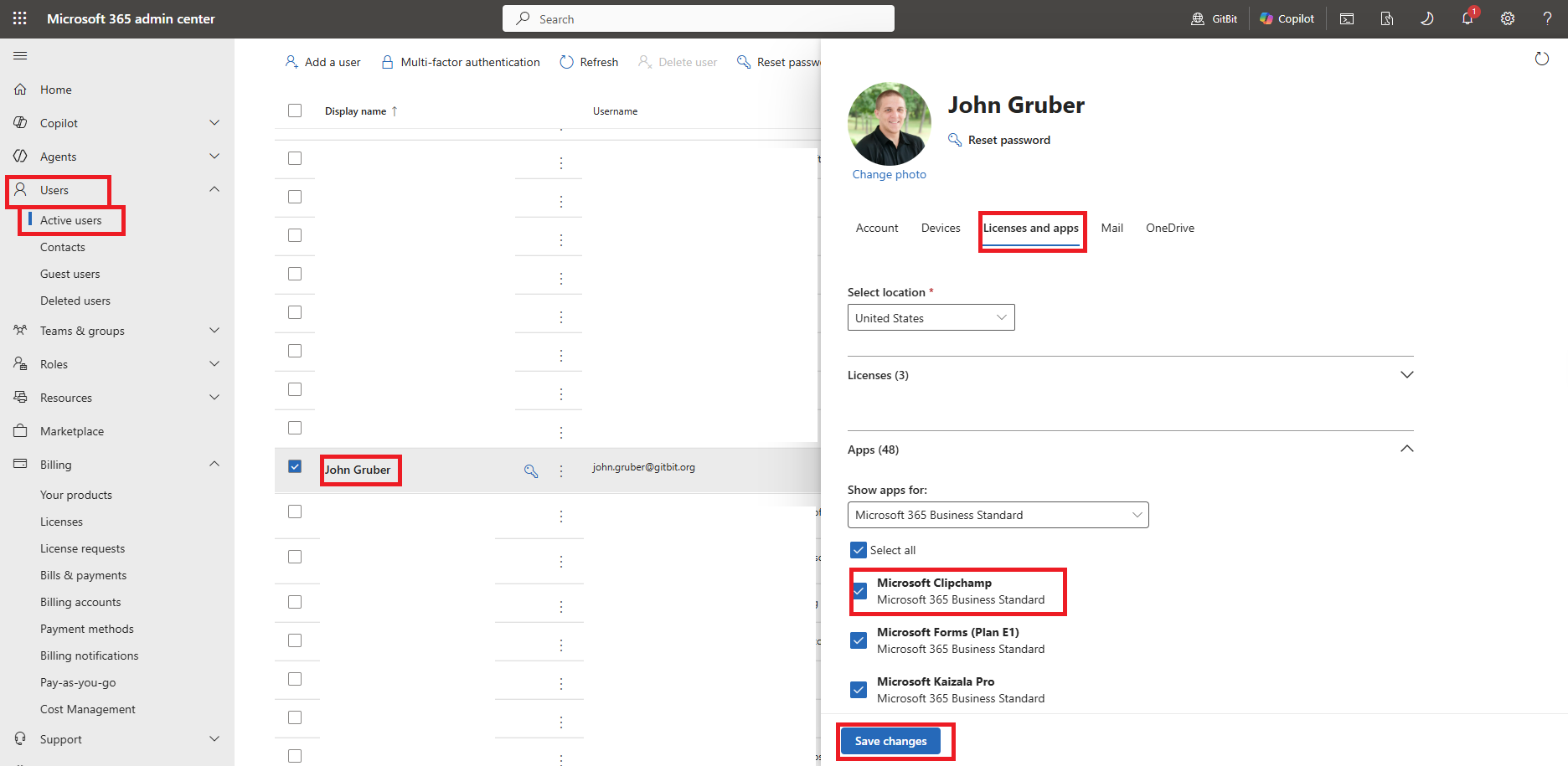
- Open the Microsoft 365 admin center
- Users > Active users.
- Click the display name of the user you want to manage.
- Licenses and apps
- Uncheck Microsoft Clipchamp to disable it.
- Save changes.
What Happens To Existing Projects?
When you remove the Clipchamp-supported license, the files aren't deleted. The files will be deleted when you remove the OneDrive license.
By default, Clipchamp stores the files in the user's OneDrive folder: "Videos\Clipchamp"
By downgrading and removing the Clipchamp license, you won't be able to open the Clipchamp projects anymore. If someone is using Clipchamp and you're removing the license, be sure to tell them to finish any edits and export any work into videos so they can be opened and managed through another app.
Can You Downgrade to the Free Tier?
In short, no. The free tier isn't available for Microsoft 365 users. A user could sign up for the free tier using a personal email address or an email address that isn't hosted by Microsoft 365, but you can't export your Clipchamp projects and import them into another account.
If you're removing a Clipchamp license from a user who had projects, the recommendation at this time is to export (save each project as an MP4) and then re-open the media in a new application.
If you're removing Clipchamp licensing from an active user, I'd recommend steering them to another free alternative.