Complete Guide To Managing Gitbit

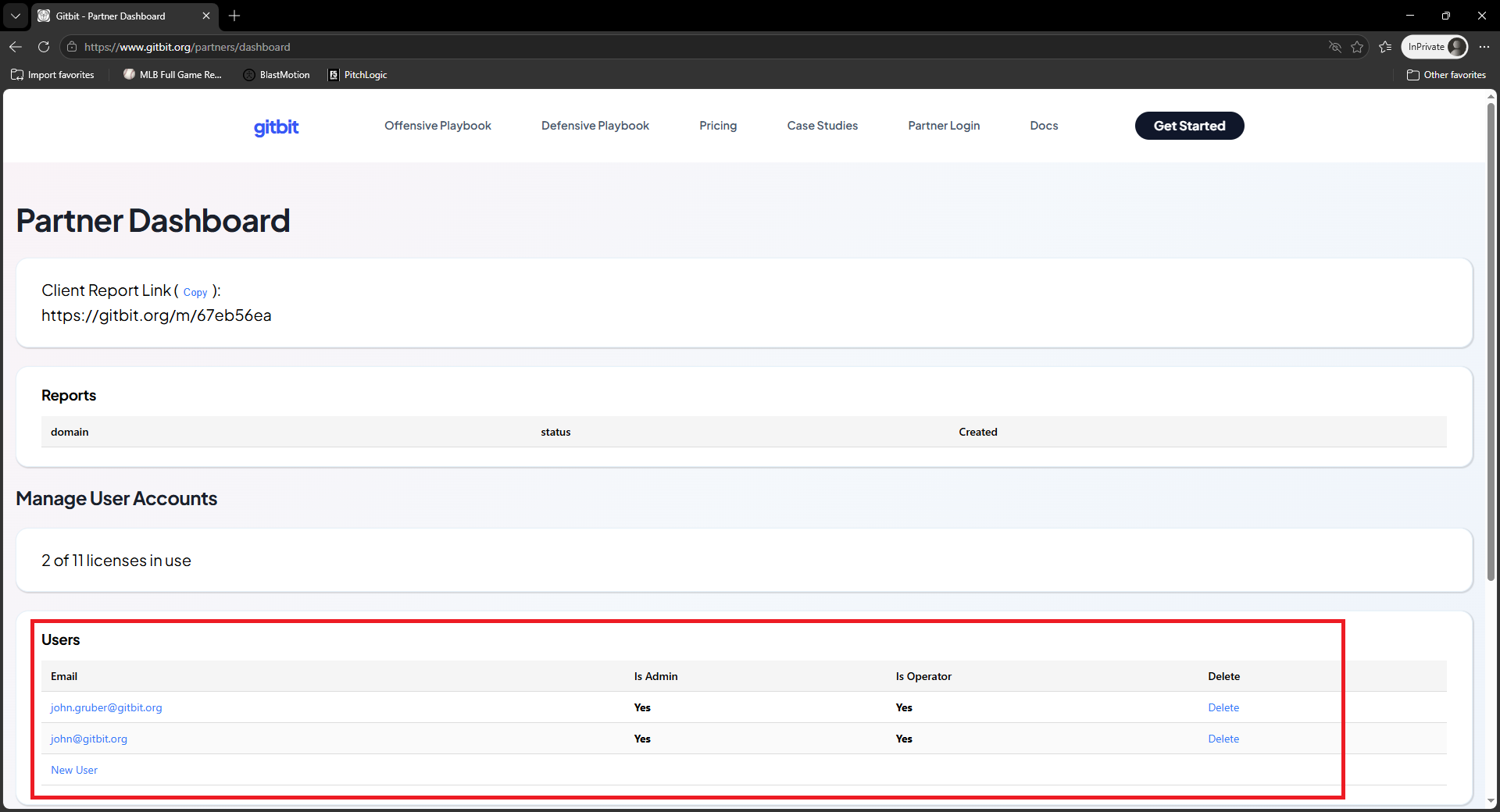
There are only 2 roles in Gitbit: Admin & Operator
Admin Role
An admin can manage your team. They don't require a license. They can add new users, delete users, and assign roles to users. Typically, you'll want 2-5 admins.
Operator
An operator is a user that will review the reports for your team. They are given a link, and will receive the reports from your clients and prospects. Every user with the operator role will consume one of your licenses.
If you decrease your licenses lower than the number of operators in your environment, operators will automatically lose their operator role.
How To View Operator Licenses Available
Any admin that logs into the Gitbit Dashboard will see the licenses card. It will show you the number of assigned licenses, as well as, your max licenses.
How To Add A User
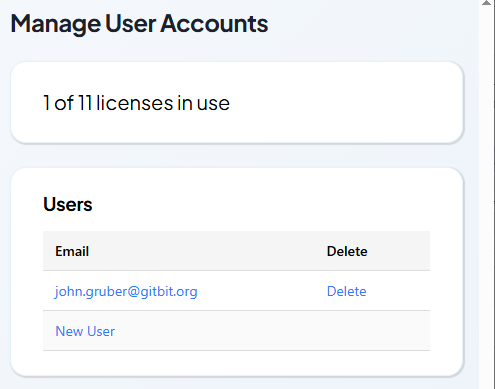
When an admin logs into the Gitbit Dashboard they'll see a card labeled Users.
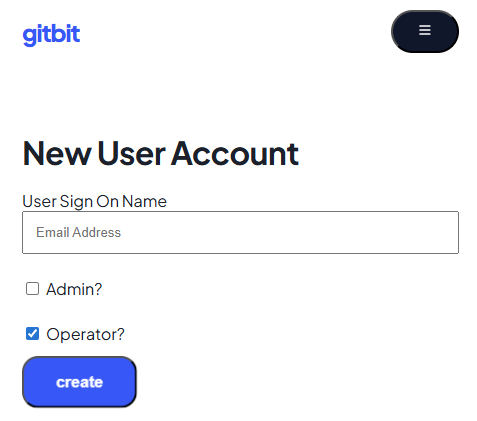
- Click New User
- Enter your new users email address.
- Select the roles you want assigned to the user.
- Click Create.
Now, the user can login using their Microsoft 365 credentials.
Deleting Users
Any user with the admin role can delete any other user.
WARNING: If you delete an operator all their reports will be orphaned. It's recommended to login as the operator and download all needed reports to CSV prior to deleting the user account.
- login to the Gitbit Dashboard.
- Find the user you want to delete.
- Click Delete.
- Confirm you want to delete the user.
More Guides
- The Offensive Playbook
- The Defensive Playbook
- Gitbit's Super Simple Pricing Model
- How To Purchase Gitbit Licenses
- How To Cancel Gitbit Licenses
- Convincing Prospects To Let You Run A Report
- How To Log In To Gitbit
- How To Run A Gitbit Audit Report
- How To Gain Insights Using The Gitbit Audit Report
- How To Handle Objections
- Managing Your Team In Gitbit
- How To Contact Gitbit Support