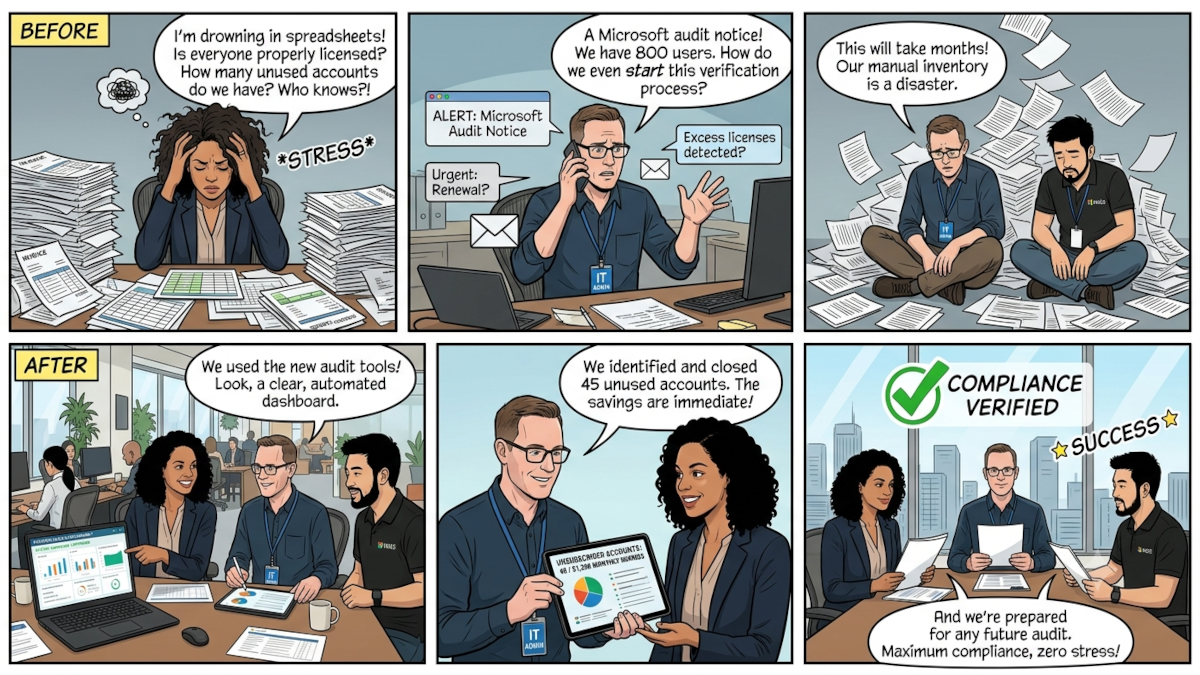
Gitbit Report Permissions: What Is Required & Why (Security Guide)

In this day and age, everyone must be concerned about security. That's why we've built Gitbit to be secure from the ground up. This guide will explain everything we've done to keep your data, yours.
When you run a Microsoft 365 license audit report with Gitbit, the application requests specific permissions to connect with Microsoft Graph.
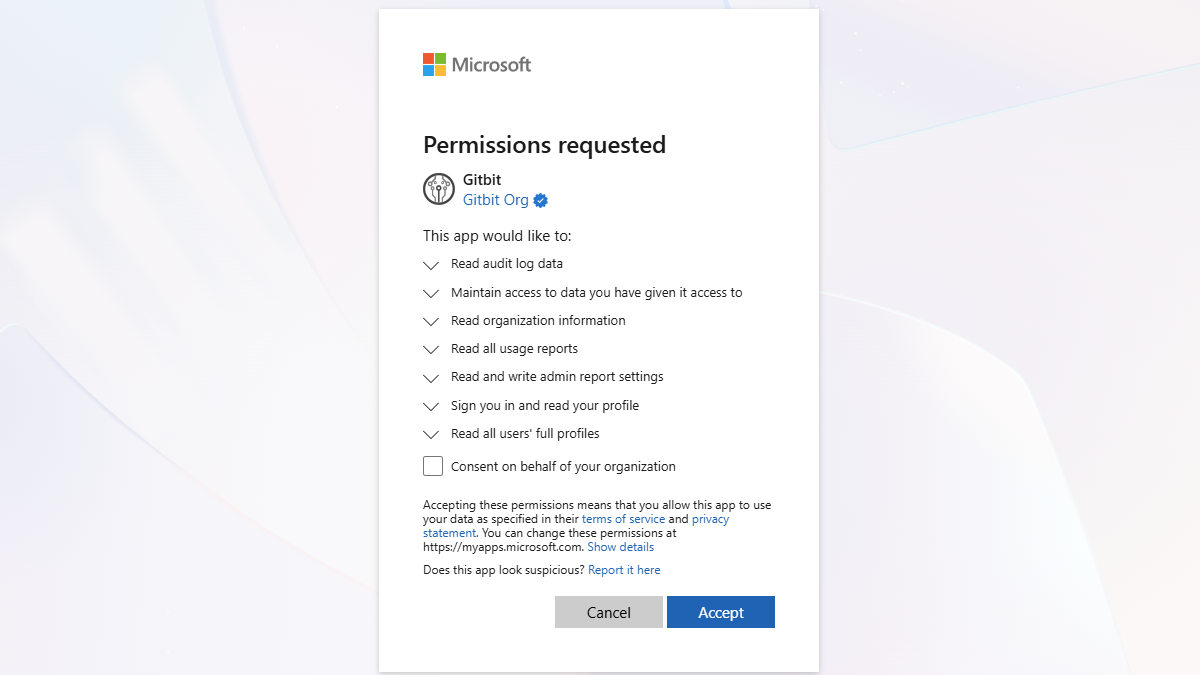
Because we prioritize your security, Gitbit requests minimal permissions. Gitbit cannot make changes to your user accounts, delete files, access emails, or modify license assignments.
- Gitbit cannot create, change, or delete users.
- Gitbit cannot order, change, or remove licenses.
- Gitbit cannot read, write, or delete your emails, files, or chats.
No Gitbit Credentials
Microsoft spends approximately $4 billion annually on cybersecurity research and development (R&D). That's why your team will need to sign in using their Microsoft 365 credentials.
When you sign in using Microsoft, Gitbit never sees or stores your actual password. Microsoft validates who you are behind the scenes and hands Gitbit a short-lived cryptographic token.
Gitbit doesn't store that token on our servers or inside our infrastructure. We use the token Microsoft hands to you to verify who you are.
That token doesn't give Gitbit access to anything inside your environment. It simply verifies that you are who you say you are.
Required Permissions and Why They Are Needed
Below is the breakdown of the exact permissions Gitbit requests and the technical reasons why each is required to generate your optimization report:
1. Read Audit Log Data (AuditLog.Read.All)
- Why it's required: This permission allows Gitbit to find inactive users by checking their last sign-on time.
- The Impact: Without this, Gitbit would not be able to see the last time a user has logged into their Microsoft 365 account.
2. Maintain access to data you have given it access to (offline_access)
- Why it's required: This permission allows Gitbit to request metadata on your behalf. It's required so we can pull the reports from our servers, as opposed to using your browser to pull the information.
- The Impact: Without this, Gitbit would immediately stop working the second you close your browser tab.
3. Read Organization Information (Organization.Read.All)
- Why it's required: This permission allows Gitbit to see the specific names of your Microsoft 365 subscriptions (e.g., Microsoft 365 Business Premium, Office 365 E3, etc.).
- The Impact: Without this, Gitbit would only be able to see if a user has a license, but would not be able to identify which specific license type they are assigned, preventing us from pointing out exact cost-saving opportunities.
4. Read All Usage Reports (Reports.Read.All)
- Why it's required: This permission is needed to pull user and application metadata, specifically around last-activity dates (e.g., when a user last logged into their mailbox or used Teams).
- The Impact: This is the core metric used to identify "inactive" users. It helps Gitbit find licensed accounts that haven't signed on for over 30 days, so you can reclaim wasted spend.
5. Read and Write Admin Report Settings (ReportSettings.ReadWrite.All)
- Why it's required: By default, Microsoft 365 hides actual user names in usage reports, showing randomized strings instead. Gitbit must temporarily toggle this setting to "unhide" user names, extract the necessary data, and immediately toggle it back to your default setting.
- The Impact: This ensures that when you look at your Gitbit report, you see actual employee names rather than confusing, anonymous GUID strings.
6. Sign You In and Read Your Profile (User.Read)
- Why it's required: This allows Gitbit to authenticate the administrator who is currently initiating the scan.
- The Impact: This verifies your session and links the resulting tenant report to your designated operator account.
7. Read All Users' Full Profiles (User.Read.All)
- Why it's required: To map license and usage data to actual people, Gitbit needs to pull basic profile details.
- The Impact: This permission fetches the User Principal Name (UPN), email address, and display name so your CSV and dashboard reports are fully readable and actionable.
Security & Peace of Mind
No Write Access: Gitbit does not ask for permission to write or delete anything in your environment. Once you receive your report, any license adjustments or account disablements must be done manually by your admin in the Microsoft 365 Admin Center.
How to Revoke Gitbit Access
If you want to remove Gitbit's access after running your audit, you can easily clean up the connection inside your tenant:
- Open your Microsoft Entra admin center.
- Navigate to Identity > Applications > Enterprise applications.
- Search for and click on Gitbit.
- Go to Properties and click Delete.